 CompassDocs
A knowledge base and simple helpdesk for small businesses
In a small business, how things work lives in the owner’s head, a shared drive and a few long email threads. CompassDocs gives a company of 10 to 200 people one place for its procedures, policies and answers, free and open source to self-host, with a simple helpdesk, single sign-on and policy sign-off in Enterprise when you need them.
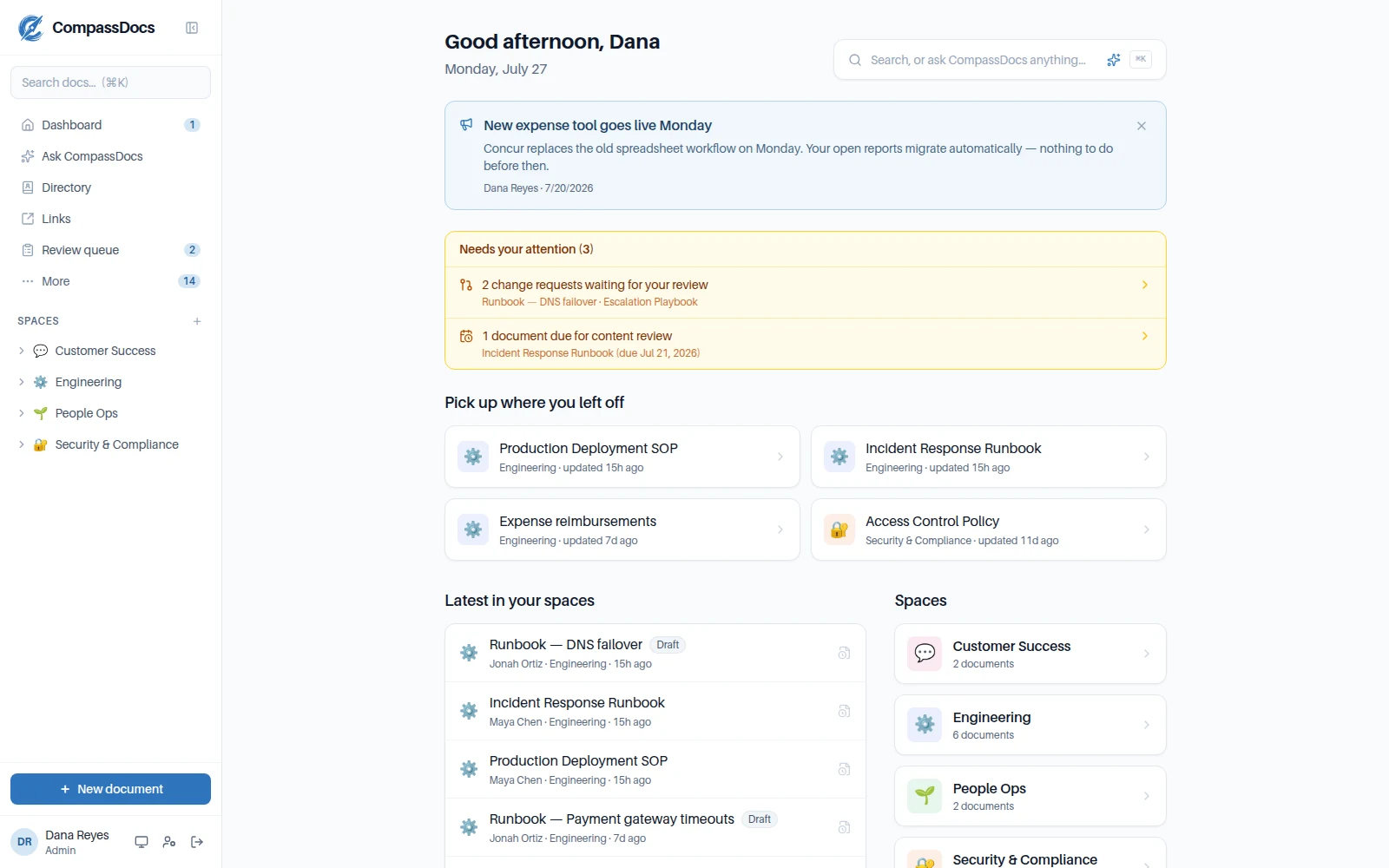
The page people open first: what changed, what they were working on, and links to every tool the company uses.
Everyone asks the same three people
Small companies don’t have a knowledge manager, an HR department or an IT team down the hall. They have a few people who know how everything works.
× The way to process a return is in an email from 2022, and only two people can find it.
× A new hire spends their first week asking where things are.
× The handbook is a Word file, and nobody knows which version people signed.
× IT questions go by text message to the outsourced provider, with no record of what was fixed.
× When the office manager is on vacation, nobody knows how to order supplies.
→ One place for how things work, one front door for questions, and a record of both.
One place for how things work
Most small businesses start with the questions people ask most. A few spaces cover it:
- Operations: how an order moves from quote to delivery, opening and closing, supplier contacts, month-end steps
- Sales and customer service: pricing rules, the refund policy, answers to the questions customers ask
- People: the employee handbook, time off, expenses, benefits, in a private space where needed
- IT: joining the Wi-Fi, setting up a new laptop, the password policy, who the provider is and how to reach them
- New starters: a first-week checklist and the links to every system they’ll use
Start from six built-in templates, including SOP and policy, or from our free templates.
Answers, not folders
Ask “how do we ship a rush order?” and get an answer from your documents with the sources cited. AI answers use your own Anthropic API key; keyword search works without one.
Who does what
The people directory and org chart answer “who handles payroll?”, and quick links put payroll, the CRM and the shipping portal on every dashboard.
Changes on the record
Every save is a version with an author and a note. Turn on approvals and edits to a published policy wait for the owner to review.
Start with Community, move to Enterprise when you need it
Enterprise is the same app on the same server. Buy a license and the features switch on; nothing moves and nothing is migrated.
Community: $0
Unlimited users and documents, spaces and private spaces, version history and approvals, handbooks, the directory, announcements, analytics, AI answers on your key, backups and your own domain.
Compare editions →Single sign-on
Staff sign in with Microsoft 365 or Google Workspace over SAML 2.0 or OpenID Connect, and SCIM from Microsoft Entra deactivates a leaver’s account and revokes their sessions at once.
SSO & SCIM →A simple helpdesk
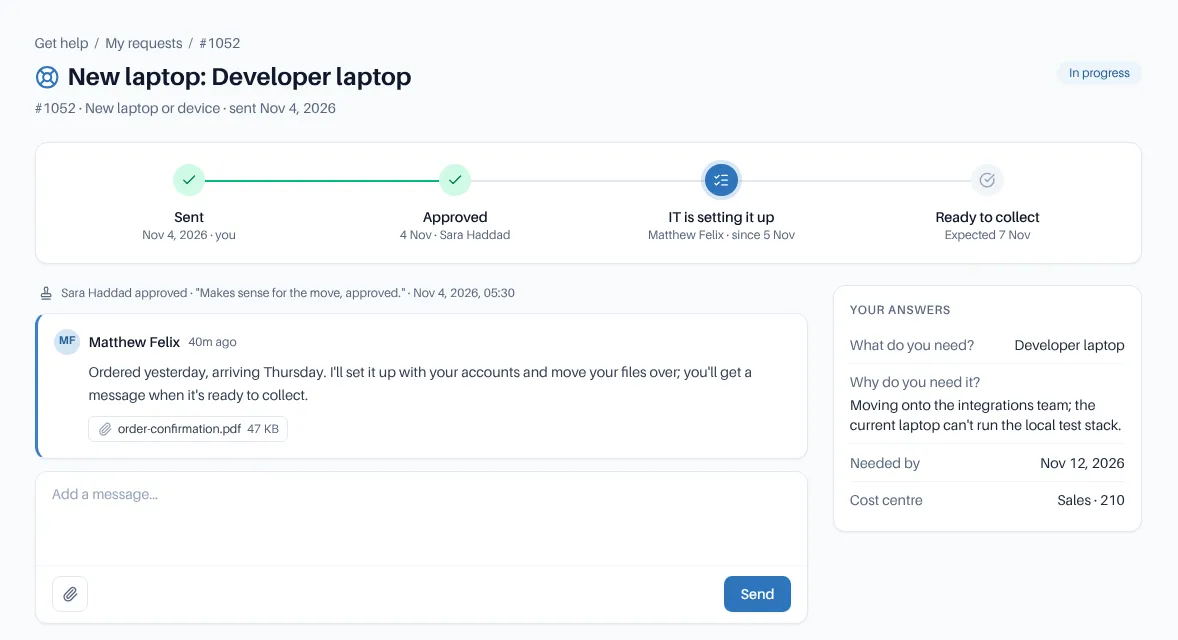
Get help searches your guides first, then offers request types such as Ask HR, an IT problem or a supplies order. 3 agents included, extra agents $125 a year.
The helpdesk →Policy sign-off
Ask staff to read and confirm the handbook or a policy by a due date, with reminders and a record of the version each person confirmed.
Read confirmations →Onboarding and training
Turn a document into a short training deck with a quiz, and give every new hire the same onboarding program automatically.
Training →One flat price
Enterprise is $499.99 a year per install with unlimited users. At 50 people that works out to about $10 a person a year; at 200, about $2.50.
Pricing →A helpdesk your outsourced IT provider can work
Many small businesses buy IT from a managed service provider. The helpdesk gives your provider’s technician a desk inside your install, next to your own guides.
- Mail to your IT address becomes tickets, and the desk can read Microsoft 365 help mailboxes directly
- Connect Microsoft Intune or Snipe-IT and the technician sees the requester’s devices, warranty and compliance on the ticket
- A New starter workflow sends tasks to HR and IT in parallel, then waits until the start date
- Office managers and HR can work their own queues on the same desk, and agents only see the teams they belong to
- Every request has a history, so you can see what was fixed, by whom, and how long it took
If your provider runs a desk for many clients, see CompassDocs for MSPs.
Five hats, often worn by fewer people
One concrete use per job. Read confirmations, training and the helpdesk are Enterprise; everything else here is in the free Community edition.
| Job | Owner | Operations | Sales & customer service | HR & admin | IT (often outsourced) |
|---|---|---|---|---|---|
| Spaces | A private leadership space | Procedures for the daily work | Pricing rules and answers to common questions | Private HR space | Runbooks, in a private space |
| Handbooks | The company handbook, printed for new hires | Operations manual | Customer service standards | Employee handbook | Acceptable use and device policy |
| Ask CompassDocs | Fewer interruptions | “How do we ship a rush order?” | “What’s our refund policy?” | “How many vacation days do I get?” | “How do I connect to the printer?” |
| Directory & quick links | Who does what, as an org chart | Supplier portals on the dashboard | CRM and quoting tool links | Payroll and benefits links | Remote support and password manager links |
| Announcements | Monthly update from the owner | Holiday hours | New product launch | Open enrollment reminder | Planned maintenance notice |
| Read confirmations | Code of conduct each year | Safety procedures | Customer data handling | Handbook sign-off on hire | Acceptable use policy |
| Training | Onboarding program for everyone | Equipment or process deck | Product deck with a quiz | Harassment prevention deck | Phishing awareness deck |
| Helpdesk | One place for “who do I ask?” | Supplies and facilities requests | Customer escalations to ops | Ask HR | IT requests worked by your provider |
A 25-person distributor, first month on Community
Install
The outsourced IT provider runs the one-command Docker installer on a small server, sets the company domain with automatic HTTPS and turns on scheduled backups.
Four spaces
Operations, Sales, People (private) and IT. The operations manager writes the ten procedures people ask about most, from the SOP template.
One launchpad
Quick links for the ERP, the shipping portal, payroll and the CRM go on every dashboard, and the directory shows who handles what.
Find the gaps
After a month, analytics shows the searches that found nothing. Those become next month’s writing list.
An 80-person firm moves to Enterprise
The company moved to Microsoft 365 and wants sign-in, onboarding and a record of handbook sign-off.
Add the license
The same install switches on Enterprise. The admin sets up Microsoft Entra ID with one-click OpenID Connect setup and turns on SCIM.
Directory from Microsoft 365
The people directory fills itself from Microsoft 365, with Teams presence, so the org chart stays current.
Handbook sign-off
Everyone is asked to confirm the employee handbook within 30 days, and new hires get their own due date from a grace period.
A desk for three
The office manager, HR and the provider’s technician are the 3 included agents, each working their own team’s queue.
Keeping records, not promising compliance
CompassDocs keeps the records a small business often has to dig for: which version of a policy was in force, who approved it, who confirmed it and when, and who finished which training. It is a documentation tool, not an HR or legal service, and it doesn’t know the employment rules where you operate. What your handbook must say is a question for your adviser.
When another tool is the better fit
An honest note before you install anything:
Very small teams
If you are five people in one room and a shared folder works, keep it. CompassDocs pays off once people start asking the same questions.
Nobody to run a server
CompassDocs is self-hosted today. If no one in house or at your IT provider will look after a server, wait for CompassDocs Cloud, which is not on sale yet.
Customer support at scale
If your helpdesk is mainly for customers, at volume, a dedicated customer service platform may suit you better. The CompassDocs customer portal is a lighter way in.
Set up faster with Claude
CompassDocs is built for MCP, so Claude can do the first draft of your rollout while your team reviews and publishes. When you start, we walk you through it.
Bring your content in
Paste or attach the procedures and policies you already have, and Claude redrafts each one in your templates, screenshots included.
Draft the handbook and training
Claude assembles a draft handbook from your policies and, with Enterprise, turns procedures into training decks with quiz questions.
Configure the helpdesk as drafts
Request types, forms, workflows, macros and recurring tickets are drafted for an admin to review and publish. Nothing goes live on its own.
See everything Claude can do through MCP and the step-by-step rollout.
Frequently asked
Is CompassDocs really free for a small business?
Yes. The Community edition is free and open source under the AGPL-3.0, with unlimited users and documents. It includes spaces, private spaces, version history, approvals, policy handbooks, the people directory, announcements, quick links, AI answers on your own Anthropic API key, backups and your own domain.
When do we need Enterprise?
When you want staff to sign in with Microsoft 365 or Google Workspace, need a helpdesk, need recorded policy sign-off or tracked training, or want accounts created and removed by SCIM. Enterprise is $499.99 a year per install with unlimited users, and it switches on in the same install without moving anything.
Do we need an IT person to self-host it?
Someone has to look after a small server. With Docker installed, one command starts CompassDocs and its PostgreSQL database, a browser wizard creates the first admin, and updates are a pull and restart. If nobody in house wants that job, your outsourced IT provider can run it for you.
Can our outsourced IT provider work the helpdesk?
Yes. Give their technician an account with the Helpdesk agent role and add them to the IT team on the desk. Enterprise includes 3 agents, and each extra agent is $125 a year; employees who only ask for help never count as agents.
Does every employee need a paid seat?
No. Both editions have unlimited users. The Enterprise price is the same for 12 people or 200: $499.99 a year per install, plus $125 a year for each helpdesk agent beyond the 3 included.
Is there a hosted version?
Not yet. CompassDocs Cloud is coming soon and is not on sale; plans are listed from $199 a month, billed annually. Today CompassDocs means self-hosting it, on your own server or a cloud VM.
Can we try Enterprise before we buy?
Yes. You can request a time-limited trial license to test Enterprise features, and your first Enterprise purchase comes with a 30-day money-back guarantee.
Related: Internal wiki · Employee handbook · IT helpdesk software · HR helpdesk · MSPs · Professional services · Franchises · Nonprofits
Free for your whole company to self-host
One Docker command installs CompassDocs with unlimited users and documents. Enterprise adds the helpdesk, SSO, read confirmations and training for $499.99 a year, however many people you have.
Self-host free See pricingBuying for a team? Get a formal quote to print for approval, or order by invoice with your PO number.