 CompassDocs
Knowledge base integrations, all in one place
CompassDocs connects to the identity provider, chat tools, mailboxes, asset systems and monitoring you already run. This page lists every knowledge base integration CompassDocs offers today, which edition it’s in, and where to read more. Integrations in the Community edition are free; the helpdesk and identity integrations are part of Enterprise.
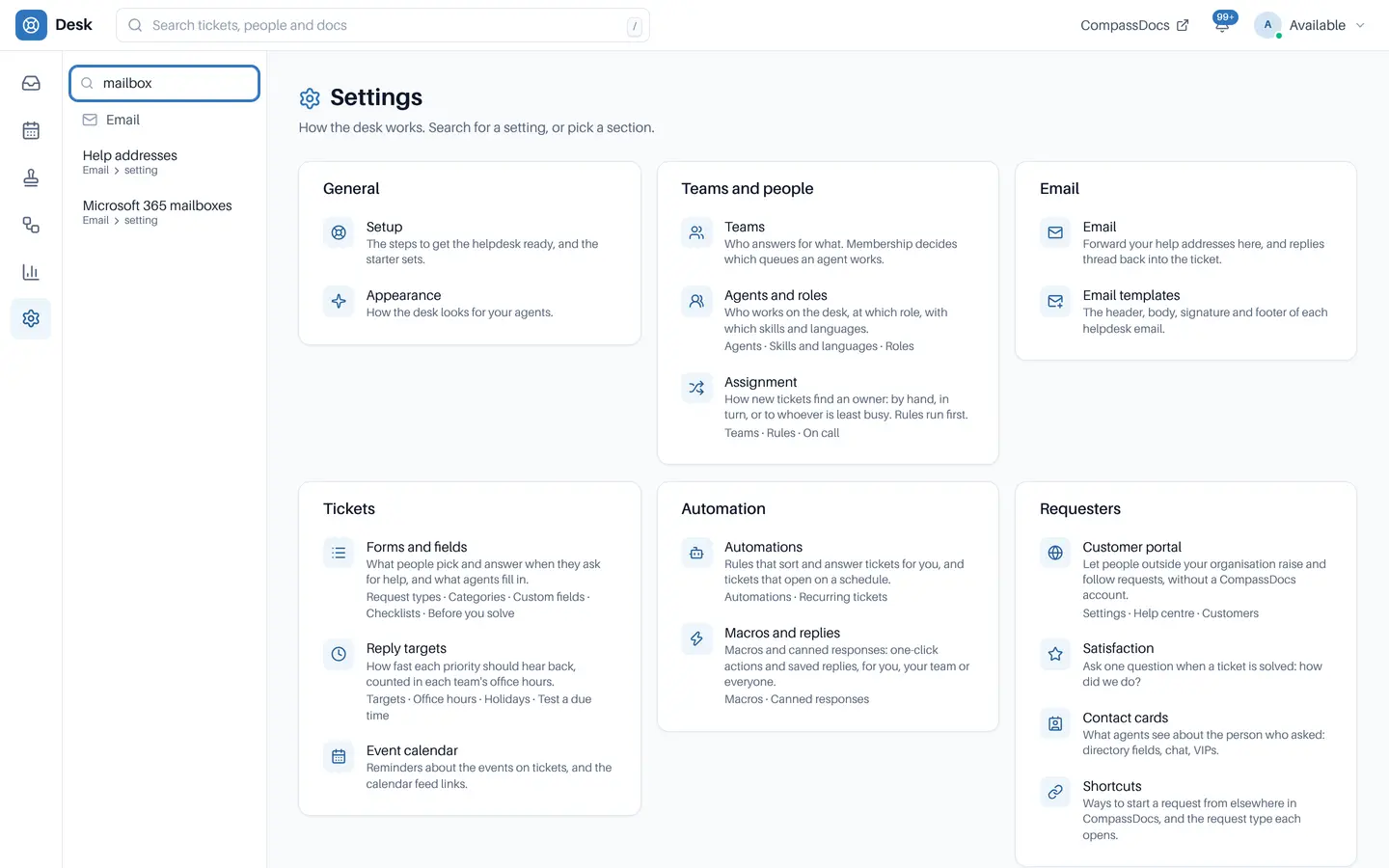
Settings are searchable: type “mailbox”, “Outlook” or “Duo” and land on the right integration.
Sign-in, identity and directory
People sign in the way they already do, and accounts, groups and profiles follow your identity provider.
SAML 2.0 single sign-on
Enterprise. Okta, OneLogin, Google Workspace, ADFS and Entra SAML apps. Paste your IdP’s metadata and the endpoints fill themselves in. Single sign-on →
Microsoft Entra ID (OIDC)
Enterprise. OpenID Connect with one-click setup: CompassDocs creates the app registration for you. Any other OIDC provider works through a custom authority. Single sign-on →
SCIM provisioning
Enterprise. Microsoft Entra creates, updates and deactivates accounts, and a leaver’s sessions are revoked at once. SCIM →
Duo
Enterprise. A Duo Universal Prompt approval after every sign-in, or only when someone opens the helpdesk desk. Duo sign-in check →
Microsoft 365 & Google Workspace directory
Enterprise. Sync the people directory from Entra, Google Workspace or both, map any attribute onto a field, and show Teams presence live. People directory →
Entra group sync
Enterprise. Groups synced from Entra drive private-space access, so space membership follows your identity provider. Spaces →
Chat, email and Microsoft 365
Notices reach people where they work, and the helpdesk reads the mailboxes and chats they already use.
Teams, Slack, Webex and webhooks
Every edition. Review and publish events, and the notices people choose, to Webex, Teams, Slack or any webhook, alongside email and push. Notifications →
Announcements to email and chat
Every edition. Post an announcement to every dashboard and optionally send it by email and to Teams, Slack or Webex webhooks. Announcements →
Outlook add-in
CompassDocs in the Outlook ribbon: search, AI answers and one-click “insert document link” while writing email, deployed org-wide from the Microsoft 365 admin center. All features →
Microsoft 365 mailboxes
Enterprise helpdesk. The desk reads shared or user mailboxes through Microsoft Graph, with no forwarding, and replies can go out as the mailbox. Helpdesk email →
Postmark, SendGrid, Mailgun
Enterprise helpdesk. Forward mail to the inbound webhook from any provider that posts JSON, side by side with Microsoft 365 mailboxes. Helpdesk email →
Teams and Slack apps
Enterprise helpdesk. Raise, follow and approve requests by messaging your own registered Azure Bot or Slack app. Teams & Slack →
Helpdesk: assets, monitoring and the API
The helpdesk’s Integrations hub shows each connection as a card with its status.
- Snipe-IT: assets sync every 30 minutes and show on the ticket; solving can log a maintenance record. Assets →
- Microsoft Intune: devices with compliance, last check-in and OS, with one-click setup. Assets →
- Alert sources: Prometheus Alertmanager, Grafana, Datadog, Azure Monitor, PagerDuty-style events, generic webhooks and API bots open tickets, with repeats deduplicated. Integrations & API →
- Status page services: each team follows the services that matter to it, declares a major incident from one, and can post updates to the Status page. Major incidents →
- REST API with scoped tokens that act as a desk role, never above their creator’s. Integrations & API →
- Signed webhooks for ticket, message, note and approval events, retried for 24 hours with a delivery log. Integrations & API →
- Import ticket history from Zoho Desk or CSV, with a dry run first. Integrations & API →
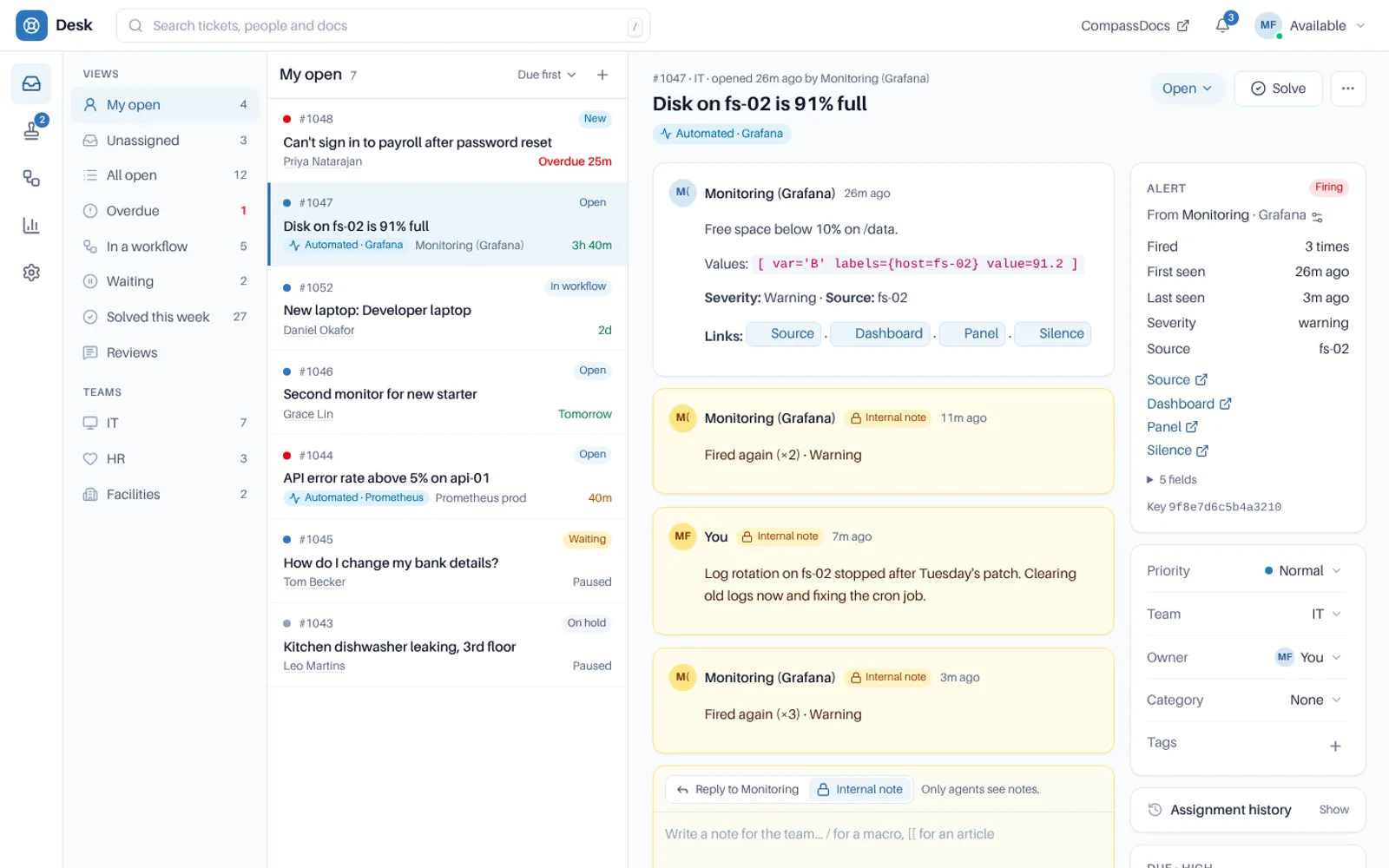
Claude and AI
AI features are optional and use Anthropic’s Claude. Nothing is sent until you turn a feature on.
Claude connector (MCP)
Every edition. Connect the Claude desktop app with one click; Claude searches, drafts and updates docs, handbooks and training with your permissions. Claude connector →
Claude in the desk
Enterprise helpdesk. A Claude panel beside the ticket that drafts replies and suggests changes; a person sends and applies. Uses your workspace’s Anthropic API key. Claude in the helpdesk →
Anthropic key and embeddings
Every edition. AI answers run on your own Anthropic API key. Semantic search uses Voyage AI, OpenAI, any OpenAI-compatible endpoint, or a local engine like Ollama. AI search →
Hosting, backups and operations
The operational integrations a self-hosted knowledge base needs, configured from the admin console.
Off-site backups
Every edition. Scheduled full-database backups with retention, mirrored to S3, R2, MinIO or Azure, with one-click restore. Self-hosting →
Let’s Encrypt HTTPS
Every edition. A built-in Caddy proxy serves your own domain with automatic Let’s Encrypt certificates, self-signed, or your own. Admin console →
Prometheus monitoring
Every edition. Liveness and readiness probes, a Prometheus /metrics endpoint and JSON logs. Self-hosting →
Deploy to Azure
A Deploy-to-Azure portal wizard provisions the VM, networking and storage in your own subscription. Self-hosting →
Markdown import and export
Every edition. Export the whole knowledge base as front-matter Markdown and import it back. Nothing is locked in. Documents & spaces →
Docker on x86-64 and ARM64
Multi-arch images for Intel and AMD servers, Apple Silicon, AWS Graviton and Raspberry Pi, or Node.js with your own PostgreSQL. Self-hosting →
How integrations are kept safe
- Secrets for Snipe-IT, Intune and the chat apps are stored encrypted and never shown again; integration keys are kept only as a hash
- API tokens act as a desk role with chosen teams, never above their creator’s, with expiry, last used and Revoke
- Every token, webhook, integration and API call that changes something is recorded in the audit log
- Nothing reaches Snipe-IT or Intune until an admin connects them, and Claude in the desk is off until an admin turns it on
- Teams requests are checked against the Bot Framework token and your tenant, and Slack requests against the signing secret
Outbound access, by choice
On a self-hosted install, features that talk to other services, such as Microsoft 365 mailboxes, Teams, Intune or Claude, need outbound access to them. Leave them off and nothing leaves your network.
What isn’t built in
There is no built-in Jira connector and no Zendesk importer. The REST API and signed webhooks let your own scripts pass tickets between systems, and ticket history imports from CSV.
Frequently asked
Which integrations are free?
Everything in the Community edition: chat and email notifications to Teams, Slack, Webex or any webhook, the Claude connector, AI search on your own Anthropic key, off-site backups, custom domain with HTTPS and Markdown import and export. SSO, SCIM, directory sync and the helpdesk integrations are part of Enterprise.
Does CompassDocs integrate with Microsoft 365?
Yes. Enterprise adds Microsoft Entra single sign-on with one-click setup, SCIM, directory and group sync, Teams presence, Microsoft 365 mailboxes and Intune for the helpdesk, and a Teams app. Teams notifications are in every edition.
Does it work with Google Workspace?
Yes. On Enterprise, staff can sign in with Google Workspace over SAML 2.0, and the people directory can sync from Google Workspace, Microsoft 365 or both.
Is there an API?
Yes. The Enterprise helpdesk has a REST API with scoped tokens and signed webhooks for ticket, message, note and approval events. Every call is checked like the desk and recorded in the audit log.
Is there a Jira integration?
Not a built-in one. The REST API and signed webhooks let your own scripts pass tickets between CompassDocs and other systems.
Related: Single sign-on & SCIM · Directory sync · Notifications · Helpdesk integrations & API · Claude connector · Self-hosting
Connect CompassDocs to what you already run
Self-host the open-source Community edition with one Docker command. Enterprise adds SSO, SCIM, Microsoft 365 and Google sync and the helpdesk integrations from $499.99/year.
Get started in 2 minutes See pricingBuying for a team? Get a formal quote to print for approval, or order by invoice with your PO number.