 CompassDocs
A company directory, built in
Find a colleague by name, title, department, or email — as cards, a sortable list, or grouped sections in the order you choose. Ask CompassDocs uses it too: “who runs payroll?” gets a person, not a document.
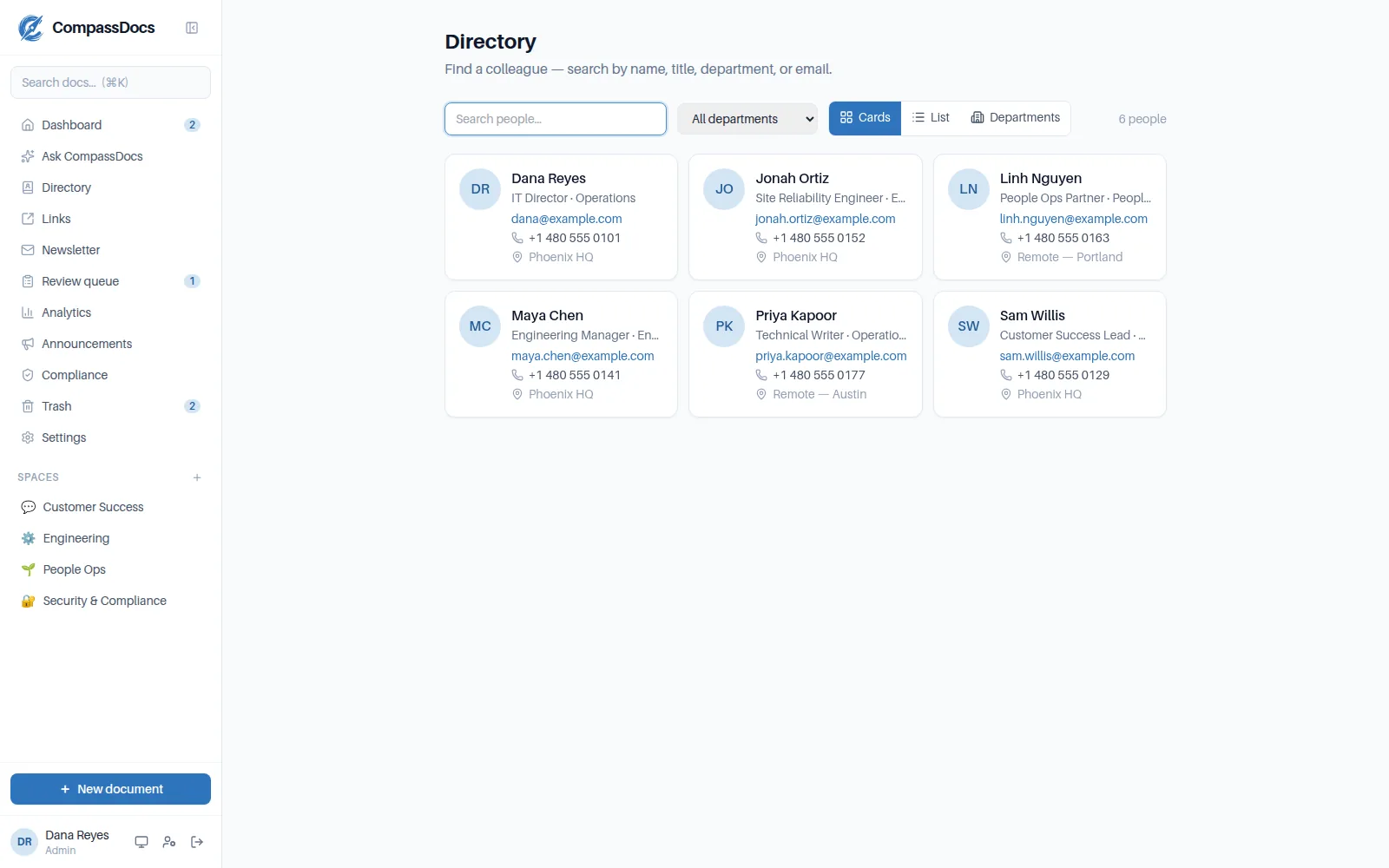
Cards view — titles, departments, phone, and office at a glance.
What you get
- Cards, list, and grouped views — sections by any field, in the order you set, with pinned key contacts on top
- A field registry: text, choice, or people fields, with ordered options, labels and aliases (“PHX1” shows as Phoenix; Partner and Of Counsel file under Attorney)
- Assistants and any other people link, many-to-many, shown from both ends
- An org chart from a built-in Reports to field — heads at the top, teams folded beneath, a team page and export for every manager — filled by the sync on Enterprise
- Save anyone as a contact (.vcf) or scan a QR code to add them to a phone; chat in Teams or book time from their profile; started-this-month, anniversary and birthday strips from a date field
- Export presets: server-rendered PDFs with your logo, paper size, sections and footer — a table or a who’s-who of photo cards, one file per office as a zip, emailed on a weekly or monthly schedule — or export exactly what’s on screen as PDF or CSV
- Every field and contact column set to everyone or admins only, stripped on the server before it reaches a page, an export or a contact card
- A health card that names what needs a hand — blanks, strays, shared names, unmatched references — and a CSV import that shows what every row would do before it writes
- Enterprise: map any field from Microsoft 365 or Google Workspace — a property, a composition, a pattern, group membership — previewed against real records before you save; preview any sync, run it on a schedule, and get the changes by email
- Person profiles linked from document bylines; feeds Ask CompassDocs, so people questions get people answers
Microsoft 365 & Google sync
On Enterprise, the directory fills itself from your Entra tenant, your Google Workspace account, or both at once — no manual upkeep — and shows each person’s Teams presence live.
Author links
Every document byline links to its author's profile — context is one click from any page.
Your attributes
Surface the fields your org cares about — cost center, pronouns, start date — as structured fields or badges.
Frequently asked
Do I need Microsoft 365 to use the directory?
No — people can be added and edited right in the admin console. Directory sync is an Enterprise convenience, not a requirement, and it works with Microsoft 365/Entra, Google Workspace, or both together — each provider owns the people it synced, so connecting one never removes the other's.
Can the AI answer questions about people?
Yes. Ask CompassDocs blends directory matches into answers, so “who owns the AWS account?” returns the person with their contact details.
Related: Command palette · AI search & answers · Admin console · Documents & spaces
Free & open source to self-host
One Docker command installs CompassDocs with unlimited users and documents. Enterprise adds SSO, Microsoft 365 sync, compliance, and training for a flat $599/year.
Get started in 2 minutes See pricing