 CompassDocs
Key takeaways
- A runbook is a step-by-step guide for handling a specific operational situation, usually triggered by an alert or a symptom.
- Write for the least experienced person who might be on call, under pressure, and name the runbook after what they see.
- Every fix needs a way to verify it worked and a way to roll it back.
- Escalation contacts and communication templates belong in the runbook, written before the incident.
- Test runbooks, update them after every use, and start from our free IT runbook template.
What is a runbook?
A runbook is a documented procedure for handling a specific operational situation: an alert firing, a service degrading, a disk filling, a certificate expiring, a failover. It tells the reader how to confirm what is happening, how to fix it, how to check the fix worked, and who to call when it doesn’t.
Runbooks started in IT operations and site reliability engineering, but the idea applies anywhere a team responds to events: security operations, facilities, help desks, even finance teams running month-end jobs.
Runbook vs playbook vs SOP
The words overlap, and teams use them differently. A useful working distinction:
| Document | Starts from | Scope |
|---|---|---|
| Runbook | A specific alert, symptom or operational task | One situation, concrete steps, often with commands |
| Playbook | A type of event, such as a security incident or a major outage | Roles, decisions and coordination across teams; links to runbooks for the technical steps |
| SOP | A planned, recurring task | How the task is always done; approved and reviewed on a schedule |
If you are documenting a planned, recurring task, you probably want an SOP; see What is an SOP?. If you are documenting what to do when something breaks, keep reading.
What makes a good runbook
- Findable by symptom. The reader knows what they see, not what caused it. Title and tag runbooks by alert name and symptom.
- Scannable under stress. Short numbered steps, bold decision points, no essays. Background goes at the end or behind a link.
- Copy-pasteable. Exact commands with placeholders clearly marked, plus what healthy output looks like.
- Safe. Every change has a verification step and a rollback. Dangerous steps say so.
- Honest about limits. A clear point where the reader stops and escalates, with names and numbers.
- Current. An owner, a last-tested date and a history of the incidents it was used for.
How to write a runbook, step by step
- Pick the situation. Start with alerts that page someone, then the incidents you have had more than once. Each runbook covers one situation.
- Write the trigger. The exact alert name, error message or user report that sends someone here, and similar-looking problems that belong to another runbook.
- Define severity. A small table: what “fully down”, “degraded” and “one user” look like, and how each is handled.
- Add a quick reference. Dashboards, log queries, hosts, dependencies, vendor contacts and a diagram. Link to sources of truth rather than copying details that change.
- List prerequisites. The access and tools needed, as a checklist. Discovering mid-incident that you lack a role is a classic delay.
- Write the diagnosis path. Checks in order, each with a command, the healthy result and where to go if it isn’t healthy.
- Write each fix. Named fixes (Fix A, Fix B) with steps, a verify step and a rollback step.
- Add escalation and communication. Who to call and when, plus a status update template people can fill in.
- Add close-out. How long to watch before calling it resolved, which tickets to update, whether a postmortem is needed, and “update this runbook”.
- Test it. Have someone unfamiliar with the service follow it on staging or in a game day. Fix every place they got stuck.
The free IT runbook template has a section for each of these steps.
A worked example: disk almost full
Here is a condensed runbook for a common alert, to show the level of detail that works.
- Trigger: alert “Disk usage above 90% on app servers”. Not for database volumes, which have their own runbook.
- Severity: above 90% is SEV3 (business hours); above 97% or writes failing is SEV2 (act now).
- Diagnose: 1. Confirm usage with the disk-usage command and note which mount is full. 2. Find the largest directories on that mount. 3. If it is the application log directory, go to Fix A. If it is the temp upload directory, go to Fix B. Otherwise, escalate.
- Fix A, rotate and compress logs: run the log rotation job manually; verify usage drops below 80%; rollback is not needed, but do not delete today’s log.
- Fix B, clear stale uploads: delete temp files older than 24 hours with the provided command; verify usage; if usage climbs again within an hour, escalate because something is writing in a loop.
- Escalate: platform team lead via the on-call pager if not resolved in 30 minutes.
- Close out: resolve the alert, note the cause in the ticket, open a follow-up if log retention needs changing.
Notice what’s missing: no history of the logging stack, no opinions about disk sizing. Those belong in an architecture doc or a postmortem, linked from the runbook.
Runbooks and automation
Many runbook steps can and should be automated: a script that rotates logs, a button that fails over. Automation doesn’t remove the need for the runbook; it changes what the runbook says. The document now explains when to run the automation, how to tell whether it worked, and what to do when it fails or isn’t available.
A good pattern is to automate the most common, safest fix first, then keep the manual steps in the runbook as the fallback. Over time, the runbook gets shorter and the automation gets trusted, because people can see exactly what it does.
Testing and maintaining runbooks
- Update after every use. Make “update the runbook” the last close-out item. The person who just used it knows what was wrong.
- Test on a schedule. Run critical runbooks in game days or on staging and record the date.
- Review with postmortems. When an incident review finds the runbook was missing or wrong, fix it as an action item. Our incident postmortem template has a place for this.
- Assign owners and review dates. A runbook without an owner drifts as systems change.
- Keep an offline path. If the system that hosts your runbooks could be affected by the outage, make sure critical runbooks can still be reached, for example as an exported or printed copy.
Where to keep runbooks
Runbooks describe your infrastructure: hostnames, access paths, vendor contracts. Many teams prefer to keep them inside their own perimeter rather than in a third-party service. They also need to be found fast by people who don’t know the exact title, and their history needs to show what changed after each incident.
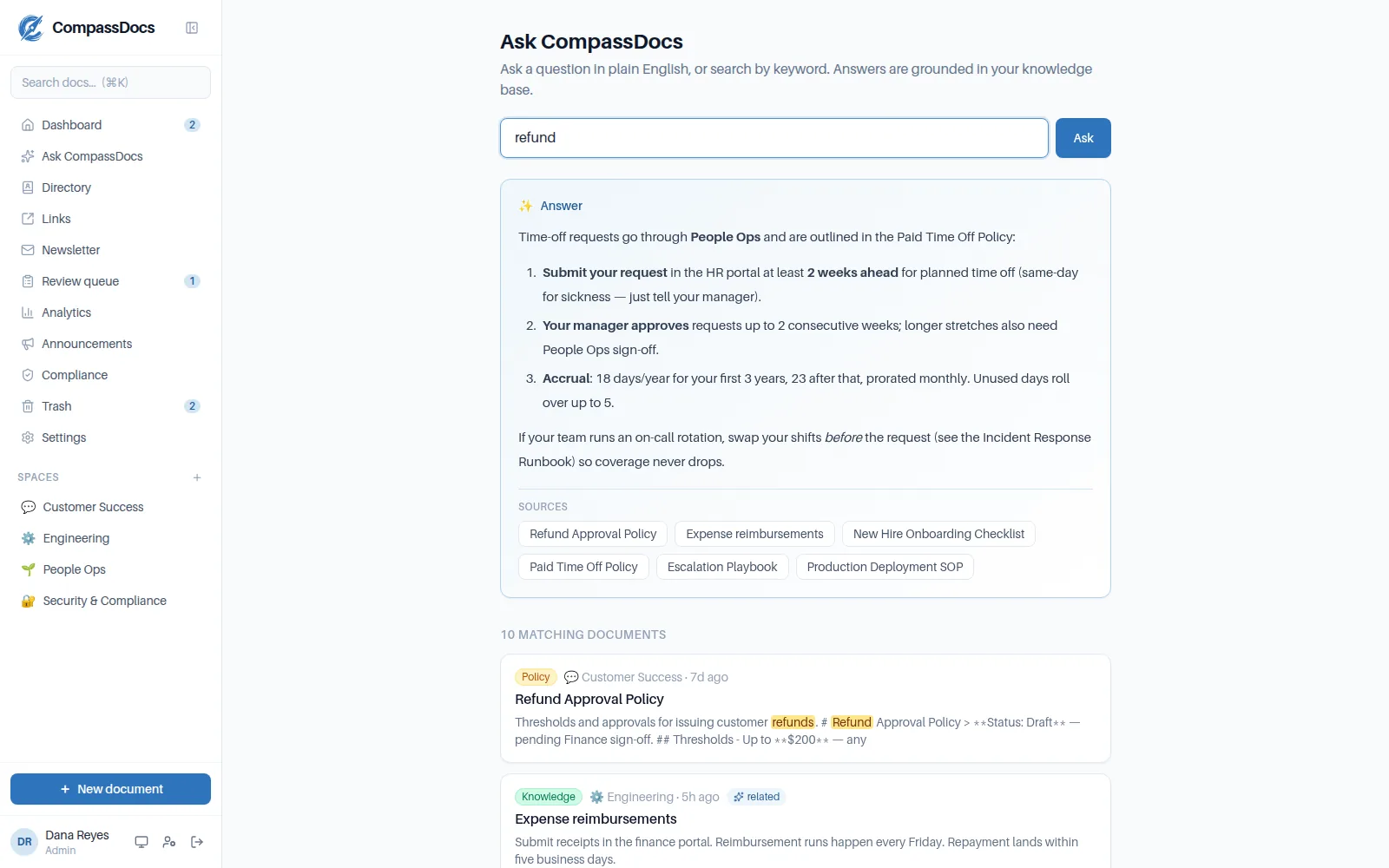
CompassDocs is a self-hosted, open-source knowledge base that fits this job. It installs with one Docker command on your own servers, has a built-in runbook template, Mermaid and PlantUML diagrams, code blocks and interactive checklists, and keeps full version history. Keyword and semantic search find runbooks by meaning; optional AI answers cite the exact runbook. Everything exports to Markdown, and documents can be printed to PDF. See runbooks in CompassDocs, CompassDocs for engineering teams and, if you run a service desk, major incidents in the Enterprise helpdesk.