 CompassDocs
A Document360 alternative for internal team knowledge
Document360 is a hosted knowledge base platform, widely used for product documentation and help sites. If your main need is internal knowledge (SOPs, policies, IT runbooks and how-tos) and you want it on your own servers, CompassDocs is a Document360 alternative worth a look: open source, self-hosted, with unlimited users and a public site for the spaces you choose to share.
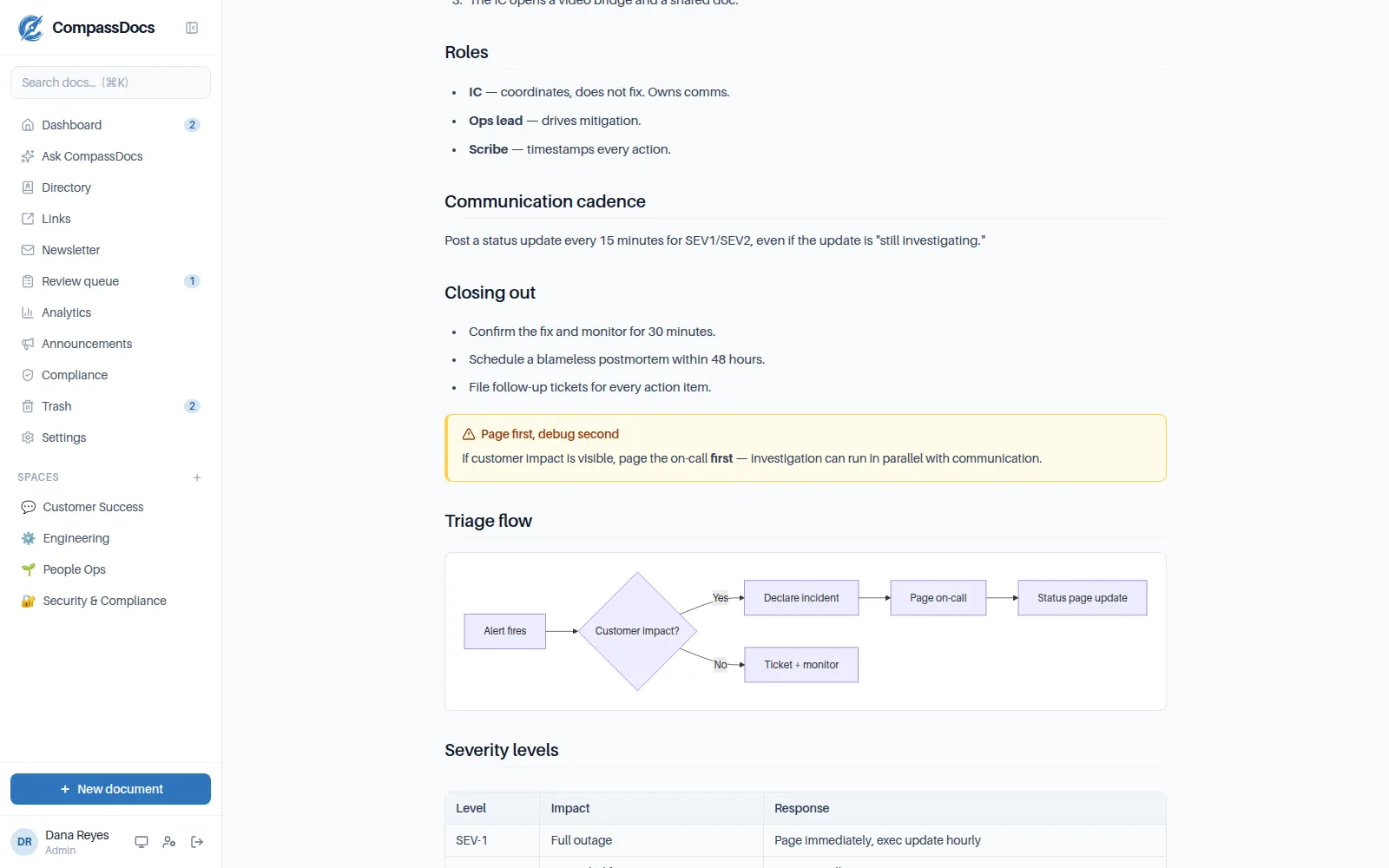
A published runbook: typed, tagged, versioned and filed in a space for its team. Mark a space public and its published documents get an anonymous site too.
Why teams look for a Document360 alternative
- Self-hosted: documents, versions and users live in a PostgreSQL database you control
- A yearly price that doesn’t grow with headcount: unlimited users in every self-hosted edition
- Open source under AGPL-3.0, with the whole knowledge base exportable as front-matter Markdown
- Internal-first: private spaces, custom roles, approvals and policy handbooks, plus read confirmations and training on Enterprise
- Docs and support on one install: Enterprise adds an internal helpdesk, and a customer portal with a help centre
Public when you choose
Each space is internal, private or public. Sitemaps and search-engine indexing for the public site are opt-in.
Reviewed before it goes live
Strict mode routes every edit to a published document through an approver, with version history and change notes.
Your servers, your data
Run it on infrastructure you control, with an offline-signed Enterprise license that never calls home.
CompassDocs and Document360 side by side
The differences that matter most when most of your readers are your own people.
| Compared | CompassDocs | Document360 |
|---|---|---|
| Main focus | Internal knowledge: SOPs, policies, runbooks and how-tos, with an optional internal helpdesk | Knowledge bases and product documentation, often customer-facing |
| Hosting | Self-hosted with Docker, or Node.js and PostgreSQL, in one PostgreSQL database you control | A hosted service |
| Source code | Open source, AGPL-3.0 | Proprietary |
| Pricing model | Community: free, unlimited users. Enterprise: $499.99/year per install, unlimited users, 3 helpdesk agents included, extra agents $125/year each | Subscription plans |
| Public docs | A public site for chosen spaces, with anonymous search, your branding and your own domain; a help centre in the Enterprise customer portal | Public knowledge bases are a core use |
| Review before publishing | Optional strict mode: edits to published docs become change requests for an approver. Viewers can suggest edits, and big rewrites go on draft branches | See Document360 for its workflow and permission features |
| Policies and training | Policy handbooks in every edition. Enterprise: read confirmations with due dates, reminders and a compliance portal, and training decks with completion tracking | Not its main focus |
| AI answers from your docs | Cited answers grounded only in your documents, with your own Anthropic key (keyword search is free) | Document360 offers its own AI features |
| Helpdesk | Enterprise: Get help, the desk, request types, workflows and approvals, SLAs, automations, assets, major incidents and reports | Not a helpdesk; integrates with helpdesk tools |
| SSO | Enterprise: SAML 2.0 and OIDC, one-click Microsoft Entra setup, SCIM provisioning | Supported; see Document360 for details |
Document360 details describe its general model, not a specific plan. Check Document360 for current plans, features and pricing.
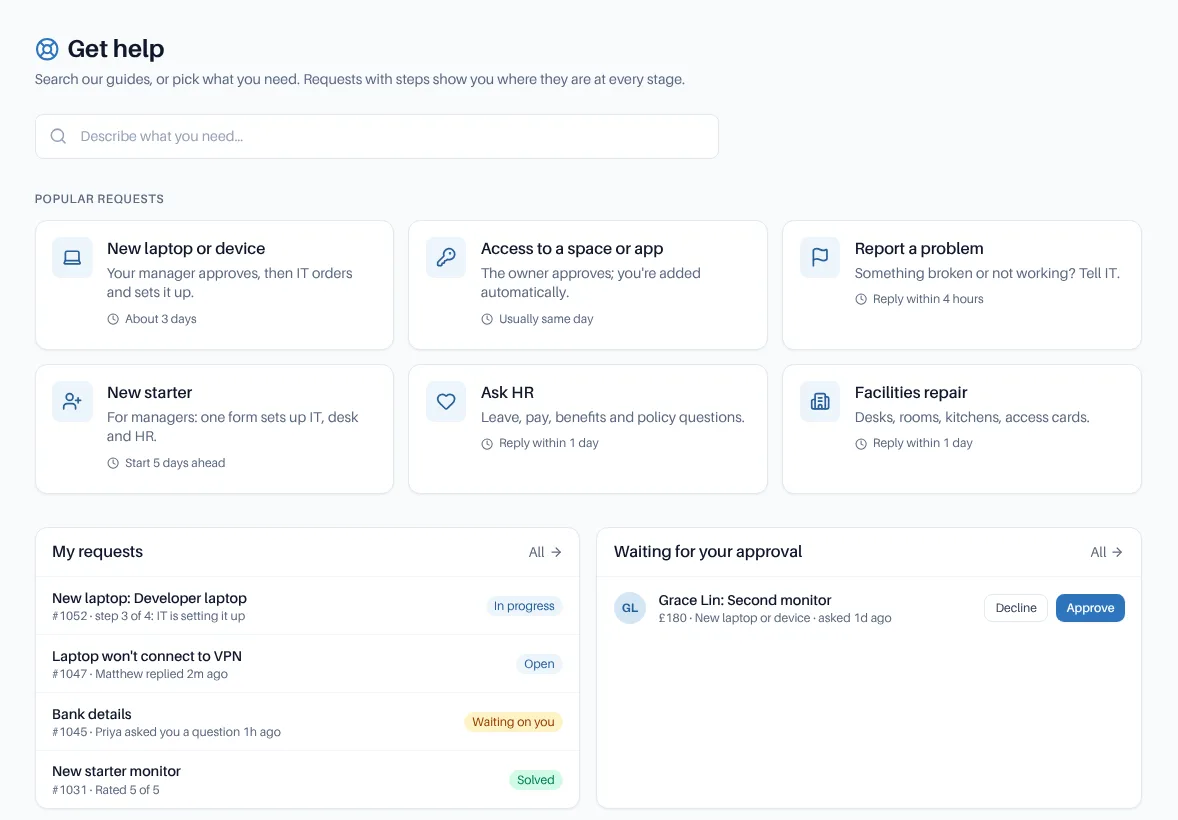
With the Enterprise helpdesk, Get help searches your guides before anyone sends a request.
When Document360 is the better fit
CompassDocs isn’t built for every documentation team. Document360 is likely the better choice if:
Public product docs are the main job
If you publish documentation for customers at scale, a platform built around product docs is likely the better fit. CompassDocs is internal-first.
You don’t want to run servers
Document360 is a hosted service. CompassDocs Cloud isn’t open yet, so today CompassDocs means running it yourself: Docker, backups and updates.
Your docs team is set up there
If writers, workflows and integrations are built around Document360, moving has a real cost. Weigh it against what you’d gain.
Moving your articles across
Start with the free Community edition, and move internal content first.
Run one command
The installer starts CompassDocs and PostgreSQL with Docker, and a setup wizard creates your admin account in the browser.
Export your articles
Export articles from Document360 and convert them to Markdown where needed.
Import into spaces
Import the files as front-matter Markdown into a space for each team, internal or private as fits. There is no built-in Document360 importer.
Open what should be public
Mark customer-facing spaces public, serve them on your own domain with automatic HTTPS, and decide whether search engines may index them.
$ curl -fsSL https://raw.githubusercontent.com/Felix-AZ-Solutions-LLC/CompassDocs/main/install.sh | bash
  ✓ Fetched docker-compose.yml
  ✓ Generated .env with fresh secrets
  ▲ CompassDocs running at http://localhost:3000
  → open the URL to create your admin account
Requirements, platforms and the Node.js install path are on the self-hosting page →
Set up faster with Claude
CompassDocs is built for MCP, so Claude can do the first draft of your rollout while your team reviews and publishes. When you start, we walk you through it.
Bring your content in
Paste or attach the procedures and policies you already have, and Claude redrafts each one in your templates, screenshots included.
Draft the handbook and training
Claude assembles a draft handbook from your policies and, with Enterprise, turns procedures into training decks with quiz questions.
Configure the helpdesk as drafts
Request types, forms, workflows, macros and recurring tickets are drafted for an admin to review and publish. Nothing goes live on its own.
See everything Claude can do through MCP and the step-by-step rollout.
Frequently asked
Can CompassDocs host our public help docs?
Yes, within limits. Any space can be public: its published documents get an anonymous, searchable, printable site with your branding and your own domain. Visibility is per space, and CompassDocs is internal-first, so for a large public product-documentation site a dedicated docs platform may suit you better.
Is there a Document360 importer?
No. CompassDocs imports and exports front-matter Markdown, so articles need converting to Markdown first. Your whole knowledge base exports back out the same way at any time.
How is it priced?
The self-hosted Community edition is free with unlimited users and documents, and already includes roles and approvals, version history, policy handbooks and AI answers. Enterprise is $499.99 a year per install with unlimited users, and adds SSO and SCIM, Microsoft 365 sync, read confirmations, training and the helpdesk (3 agents included, extra agents $125 a year each).
Where is our data stored?
On your own server, in one PostgreSQL database you control and back up. AI answers are optional, use your workspace’s own Anthropic API key, and only draw from documents the person asking can see.
Is there a hosted version?
Not yet. CompassDocs Cloud, the fully managed option, is coming soon. Today CompassDocs runs on your own servers with Docker, or in your own Azure subscription with the one-click wizard.
Related: Public site · Get help & portal · Guru alternative · Confluence alternative · Pricing
Internal knowledge on your own servers
Self-host CompassDocs free with one Docker command and unlimited users. Enterprise adds SSO, read confirmations, training and the internal helpdesk for $499.99/year.
Self-host free See pricingBuying for a team? Get a formal quote to print for approval, or order by invoice with your PO number.
Need sign-off first? Build a business case deck with your own costs, free and with no sign-up.