 CompassDocs
A Wiki.js alternative built for SOPs, policies and approvals
Wiki.js is a flexible open-source wiki with a module for almost everything. Teams look for a Wiki.js alternative when they want fewer moving parts and more process: approval before changes go live, documents typed as SOPs and policies, review reminders, and AI answers that cite their sources. CompassDocs shares Wiki.js’s AGPL-3.0 license and runs on your own servers, with unlimited users.
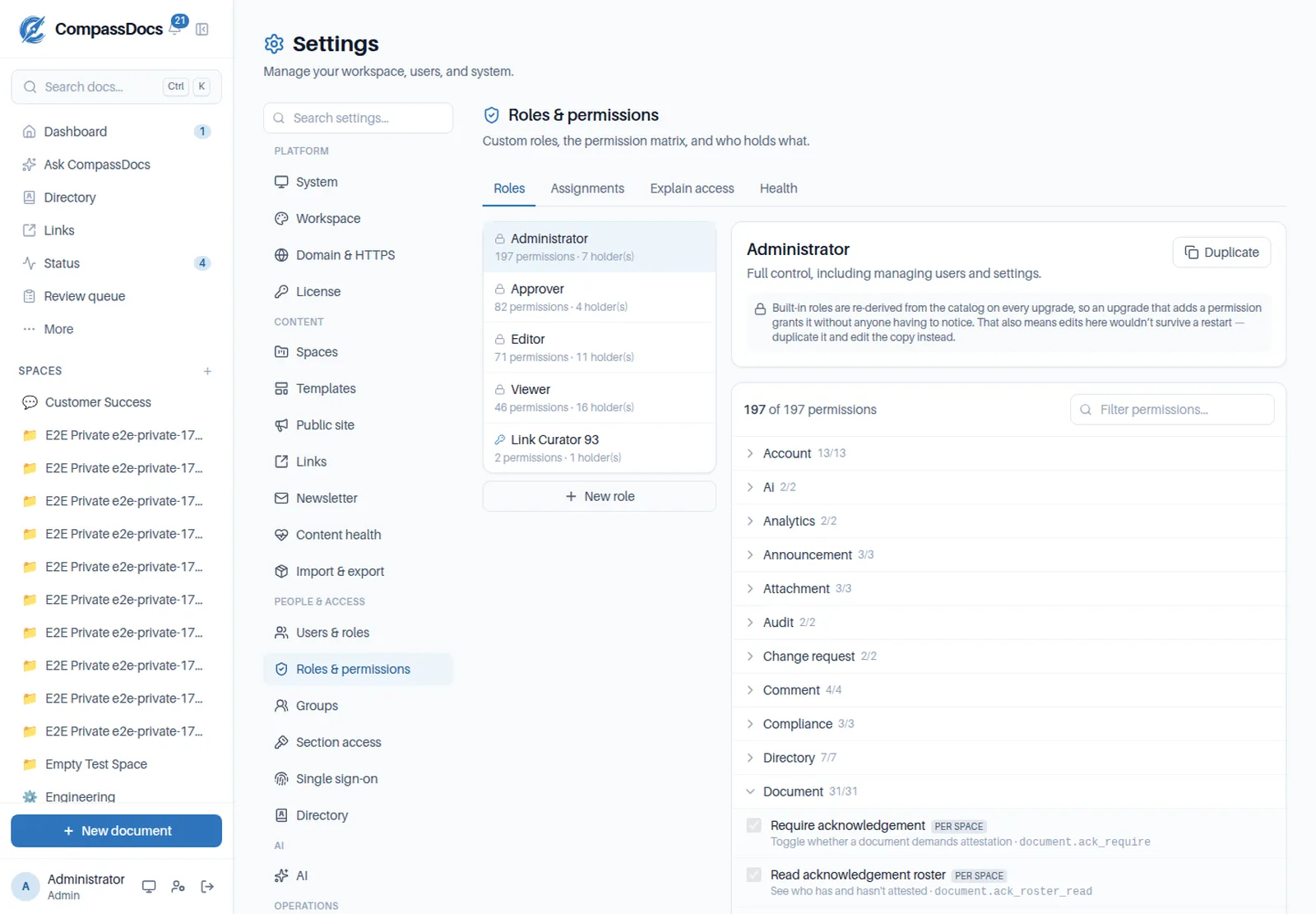
Custom roles built from 200+ permissions, granted to people or groups across the workspace or inside one space.
Why teams choose CompassDocs as a Wiki.js alternative
- Review before publishing: in strict mode, edits to published documents become change requests that an approver reviews as a diff
- Documents typed as SOPs, policies and guides, with templates and review reminders that keep them current
- Cited AI answers from your own documents, which only draw from what each person is allowed to see
- Operations set from the admin console: custom domain and HTTPS, scheduled backups with one-click restore, and built-in monitoring
- Policy handbooks in every edition, plus read confirmations, training and an internal helpdesk on Enterprise
One app, one database
Docker starts CompassDocs and PostgreSQL together. Docs, versions, users and settings all live in that one database.
Branch, then merge
Draft a big rewrite on a private branch while the published version keeps serving readers.
Search that answers
Keyword search with operators, semantic search by meaning, and AI answers with source chips.
CompassDocs and Wiki.js side by side
Both are open source under AGPL-3.0 and self-hosted. They make different trade-offs.
| Compared | CompassDocs | Wiki.js |
|---|---|---|
| What it is | A knowledge base with approvals, policy handbooks and an optional internal helpdesk | A modular open-source wiki |
| Hosting | Self-hosted with Docker, or Node.js and PostgreSQL, in one PostgreSQL database you control | Self-hosted Node.js application, with a choice of databases |
| Source code | Open source, AGPL-3.0 | Open source, AGPL-3.0 |
| Pricing model | Community: free, unlimited users. Enterprise: $499.99/year per install, unlimited users, 3 helpdesk agents included, extra agents $125/year each | Free |
| Editors | Rich-text and Markdown modes that stay in sync, with callouts, tabs, Mermaid and PlantUML diagrams and checklists | Several editors, including Markdown and a visual editor |
| Storage | One PostgreSQL database; the whole knowledge base exports to front-matter Markdown | Modules that sync content to Git and other storage targets |
| Review before publishing | Optional strict mode: edits to published docs become change requests for an approver. Viewers can suggest edits, and big rewrites go on draft branches | Page history and group-based permissions |
| AI answers from your docs | Cited answers grounded only in your documents, with your own Anthropic key (keyword search is free) | Search through a built-in engine or external search modules |
| Policies and training | Policy handbooks in every edition. Enterprise: read confirmations with due dates, reminders and a compliance portal, and training decks with completion tracking | Not built in |
| Helpdesk | Enterprise: Get help, the desk, request types, workflows and approvals, SLAs, automations, assets, major incidents and reports | Not part of the product |
| Sign-in | Community: CompassDocs accounts with two-factor auth. Enterprise: SAML 2.0 and OIDC, one-click Microsoft Entra setup, SCIM provisioning | Many authentication modules, including LDAP, SAML and OAuth2 providers |
Wiki.js details describe its general model, not a specific version. Check Wiki.js’s documentation for current features.
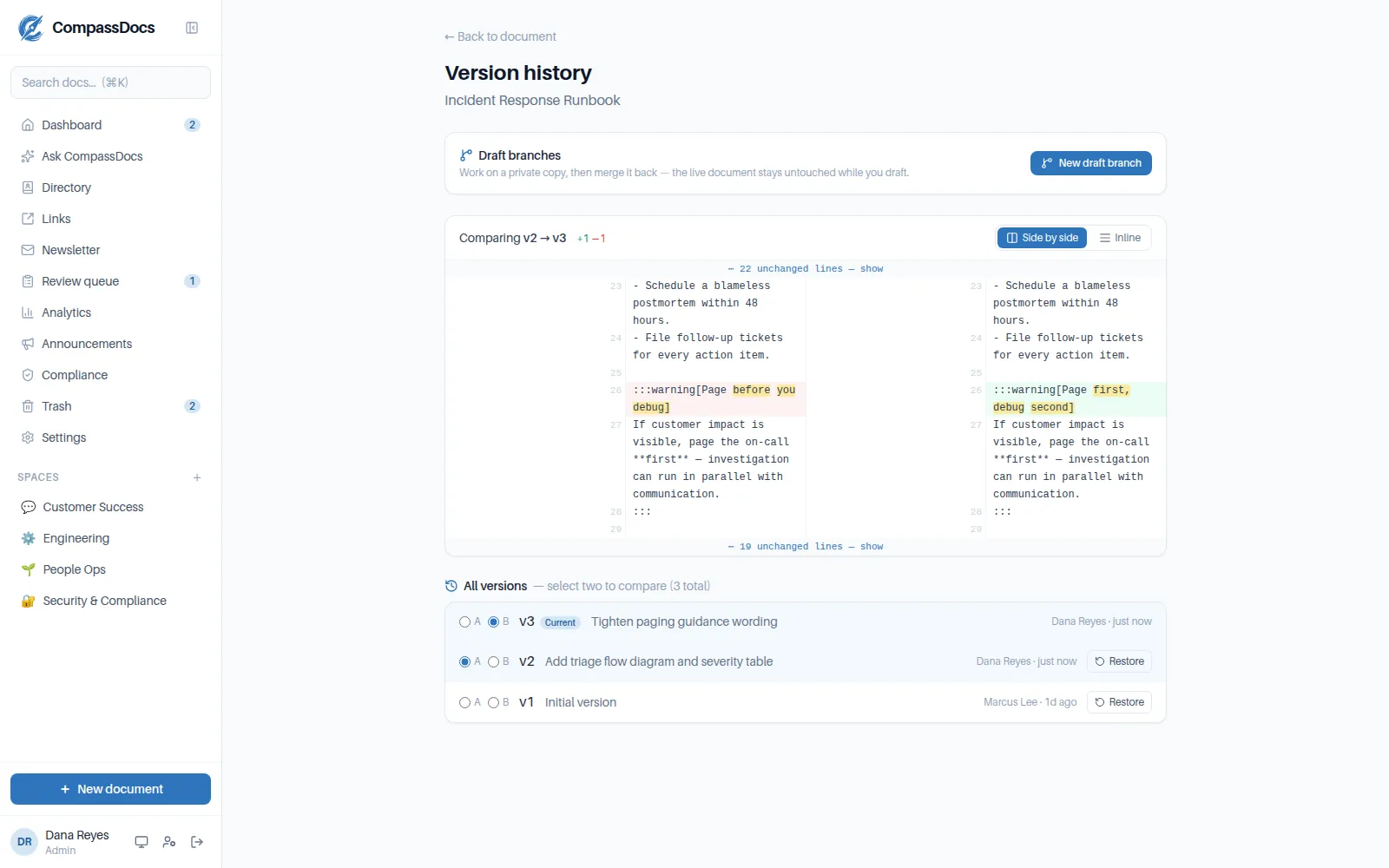
Compare any two versions with word-level highlights, then restore an older one without rewriting history.
When Wiki.js is the better fit
Wiki.js does a lot well. It’s likely the better choice if:
Your docs live in Git
If docs-as-code matters, Wiki.js can sync pages with a Git repository. CompassDocs keeps content in PostgreSQL and exports Markdown.
You need single sign-on at no cost
Wiki.js ships many authentication modules for free. In CompassDocs, single sign-on and SCIM are part of Enterprise.
You want to assemble your own stack
Wiki.js lets you choose databases, search engines and storage modules. CompassDocs makes those choices for you.
Moving from Wiki.js to CompassDocs
Your pages are probably Markdown already, which makes the move shorter.
Run one command
The installer starts CompassDocs and PostgreSQL with Docker, and a setup wizard creates your admin account in the browser.
Collect your Markdown
Pages written in Wiki.js’s Markdown editor are already Markdown. If you sync to Git or local disk, those files are your starting point.
Import into spaces
Import the files as front-matter Markdown into a space for each team, attaching images and files. There is no built-in Wiki.js importer.
Set up governance
Assign roles, choose open or strict approval mode, and give SOPs and policies a review cadence.
$ curl -fsSL https://raw.githubusercontent.com/Felix-AZ-Solutions-LLC/CompassDocs/main/install.sh | bash
  ✓ Fetched docker-compose.yml
  ✓ Generated .env with fresh secrets
  ▲ CompassDocs running at http://localhost:3000
  → open the URL to create your admin account
Requirements, platforms and the Node.js install path are on the self-hosting page →
Set up faster with Claude
CompassDocs is built for MCP, so Claude can do the first draft of your rollout while your team reviews and publishes. When you start, we walk you through it.
Bring your content in
Paste or attach the procedures and policies you already have, and Claude redrafts each one in your templates, screenshots included.
Draft the handbook and training
Claude assembles a draft handbook from your policies and, with Enterprise, turns procedures into training decks with quiz questions.
Configure the helpdesk as drafts
Request types, forms, workflows, macros and recurring tickets are drafted for an admin to review and publish. Nothing goes live on its own.
See everything Claude can do through MCP and the step-by-step rollout.
Frequently asked
Both are AGPL-3.0. What’s the difference?
The license is the same; the focus isn’t. Wiki.js is a general, modular wiki. CompassDocs is built around governed documentation: typed SOPs and policies, approvals, review reminders, policy handbooks and cited AI answers, with read confirmations, training and an internal helpdesk on Enterprise.
Is there a Wiki.js importer?
No. CompassDocs imports and exports front-matter Markdown. Wiki.js Markdown pages move across after a conversion step, and everything exports back out of CompassDocs the same way.
Can we keep our content in Git?
Not as a live sync. CompassDocs stores everything in one PostgreSQL database. The whole knowledge base exports to front-matter Markdown and imports back, so you can keep copies wherever you like.
What does it cost?
The self-hosted Community edition is free with unlimited users and documents, and already includes roles and approvals, version history, policy handbooks and AI answers. Enterprise is $499.99 a year per install with unlimited users, and adds SSO and SCIM, Microsoft 365 sync, read confirmations, training and the helpdesk (3 agents included, extra agents $125 a year each).
How are backups and updates handled?
Scheduled full-database backups with retention and one-click restore are set from the admin console, and can be mirrored off-site to S3, R2, MinIO or Azure. Updates are a docker compose pull, and the app migrates its own schema on start.
Related: BookStack alternative · Confluence alternative · Versioning & draft branches · Roles & approvals · Self-hosting
Governed documentation, still open source
Self-host CompassDocs free with one Docker command and unlimited users. Enterprise adds SSO, read confirmations, training and the internal helpdesk for $499.99/year.
Self-host free See pricingBuying for a team? Get a formal quote to print for approval, or order by invoice with your PO number.
Need sign-off first? Build a business case deck with your own costs, free and with no sign-up.