 CompassDocs
Mermaid diagrams in your documentation, rendered live
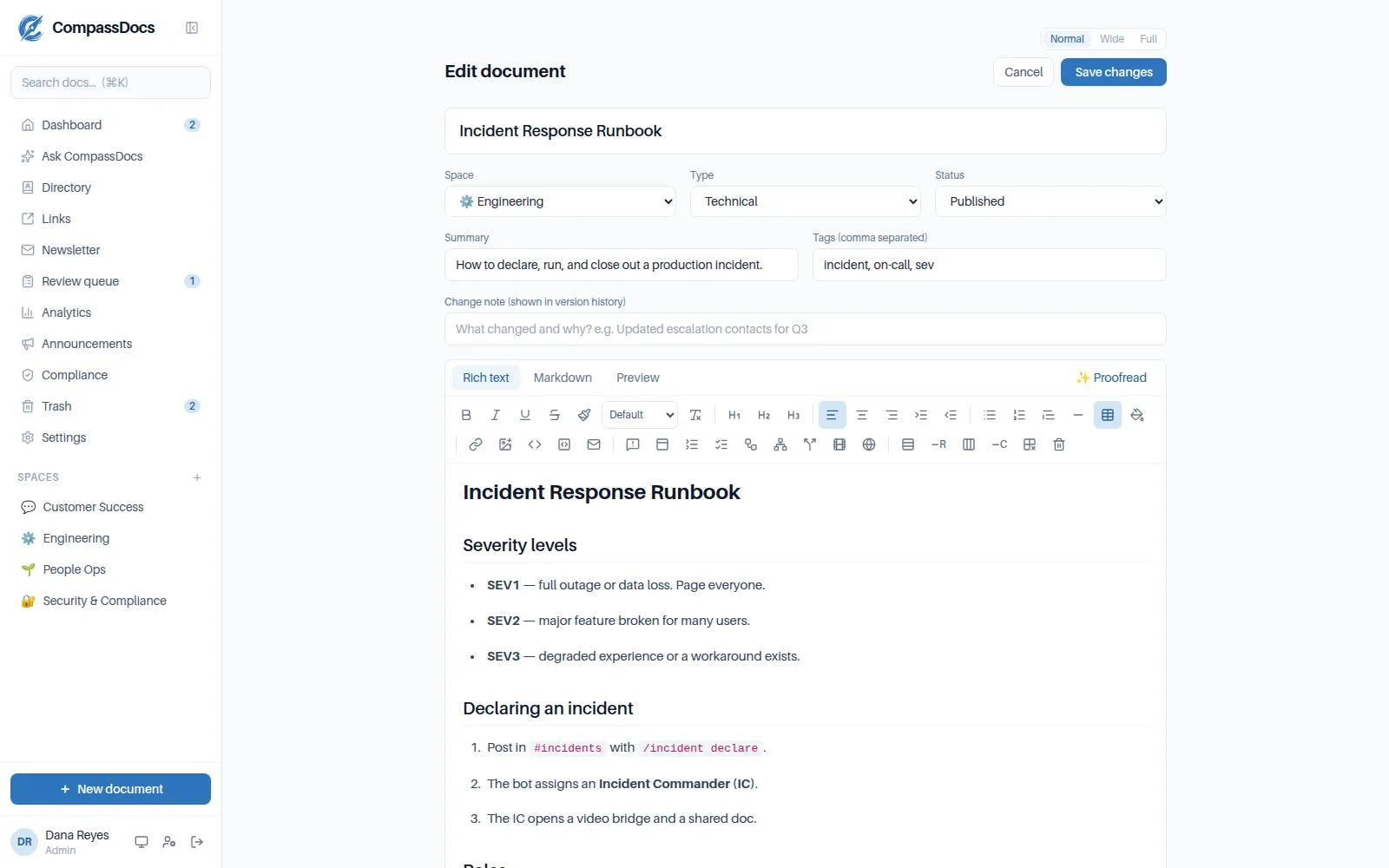
CompassDocs renders Mermaid and PlantUML diagrams right inside your documentation and knowledge base. Add a diagram from the editor toolbar, write it as text, watch the preview update while you type, and publish it next to the runbook, SOP or architecture note it explains. Diagrams are part of the editor in every edition, including the free Community edition.
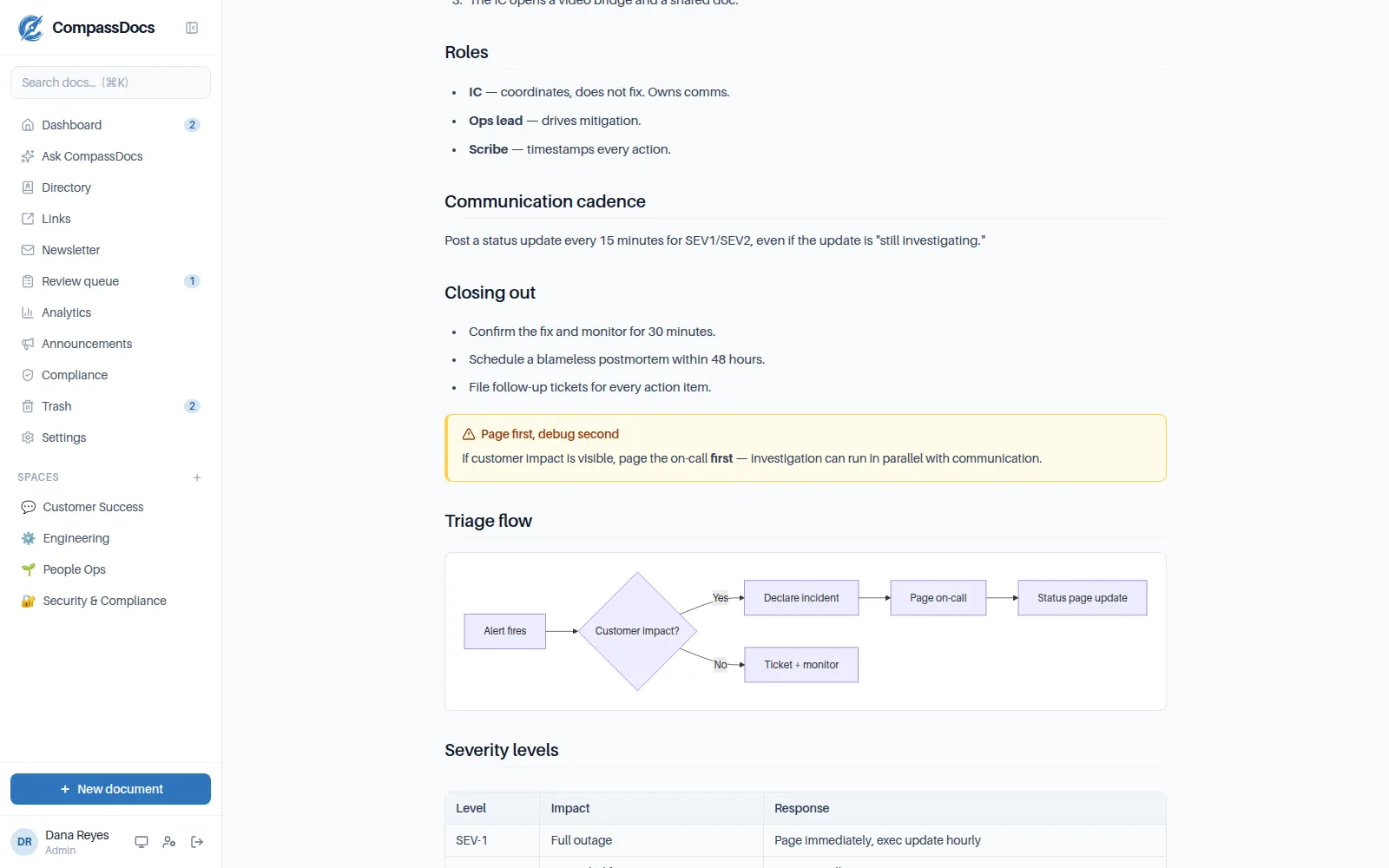
An incident runbook: a callout, a Mermaid triage flow and a severity table, all in one published document.
Diagrams as text, beside the words that explain them
A diagram drawn in a separate tool turns into a screenshot nobody can update. In CompassDocs, the diagram is text in the document itself:
- Mermaid and PlantUML diagram blocks, one click from the editor toolbar
- A live preview while you type, inside the rich-text (WYSIWYG) editor
- Rendered inline when the document is published, readable by anyone who can read the page
- A Markdown mode for people who prefer to write source, kept in sync with the rich-text view
- Diagrams sit alongside callouts, tabs, accordions, tables, click-to-tick checklists and decision-tree guides
- Documents are stored as portable Markdown, and the whole knowledge base exports as front-matter Markdown
What teams draw with Mermaid in documentation
Wherever a process has branches or a system has parts, a diagram next to the steps saves a paragraph of explanation.
Incident triage flows
Alert fires, is there customer impact, declare or monitor: the decision path on-call staff follow, right above the steps for each branch.
Architecture and sequences
Services, queues and databases, and the order requests pass between them, kept in the architecture note engineers already read.
Network topology
Sites, firewalls and links documented next to the runbook that tells IT what to check when one goes down.
Approval and process flows
Who signs off what, in what order, inside the SOP or policy that defines the process.
Work instructions
Illustrated standard work for the shop floor, with numbered steps, photos and a diagram of the station.
Onboarding journeys
A new starter’s first weeks as a flow, linked from the onboarding guide and the handbook.
Add a Mermaid diagram in four steps
A diagram is a block in the document, like a table or a callout.
Pick the block
Choose a Mermaid or PlantUML diagram from the editor toolbar, one click away like every rich block.
Write it as text
Type the diagram’s source. The preview updates while you type, so you see the boxes and arrows as you go.
Save with a note
Every save is a version with an author, a time and a “what changed and why” note.
Publish or send for review
On a published document in strict mode, the change goes to the review queue, and an approver sees the diff before it’s live.
flowchart LR
  A[Alert fires] --> B{Customer impact?}
  B -- Yes --> C[Declare incident]
  C --> D[Page on-call]
  D --> E[Status page update]
  B -- No --> F[Ticket + monitor]
Reviewed and versioned like the rest of the doc
- Because the diagram lives in the document, every change to it is a version with an author, a time and a change note
- Compare any two versions side by side with word-level highlights, and restore an older one without rewriting history
- Rewrite a live runbook, diagram and all, on a private draft branch while the published version keeps serving readers
- In strict mode, edits to published documents become change requests an approver reviews
- Restores, branch creations and merges land in the append-only audit log
No stale pictures
Content review reminders put a cadence on any document, so the diagram gets checked when the runbook does.
Findable with the doc
The document around the diagram is searchable, and AI answers can cite the runbook that holds it.
Mermaid or PlantUML?
CompassDocs supports both, so teams can keep the syntax they already know.
Mermaid
A widely used, Markdown-friendly text syntax for flowcharts, sequence diagrams and more. A good default for process flows and quick architecture sketches.
PlantUML
A long-established text syntax for UML, popular with engineering teams for sequence, class, component and deployment diagrams.
Drawn by Claude
The Claude connector uses the editor’s full rich-block toolbox, diagrams included, so Claude can draft a runbook with its flow already drawn.
Frequently asked
Which diagram languages does CompassDocs support?
Mermaid and PlantUML. Both render inline in published documents, with a live preview in the editor while you type.
Do I need to know Markdown to add a diagram?
No. The rich-text editor adds a diagram block from the toolbar. You write the diagram itself as Mermaid or PlantUML text, and the preview shows the result as you go. A Markdown mode is there if you prefer it.
Are diagrams included in the free edition?
Yes. The editor, with Mermaid and PlantUML diagrams and the other rich blocks, is part of the free, open-source Community edition, as well as Enterprise and Cloud.
Are diagram changes versioned and reviewed?
Yes. A diagram is part of its document, so every change is saved as a version with a change note, can be compared and restored, and goes through the approval workflow in strict mode.
Can we still use diagrams drawn in other tools?
Yes. Paste a screenshot or exported image straight into the document, drag to size it, place it side by side and give it alt text. It just won’t be editable as text the way a Mermaid or PlantUML block is.
Can Claude create diagrams in our docs?
Yes. The Claude connector drafts and revises documents with the editor’s full rich-block toolbox, including diagrams, with your permissions and with approvals still applying.
Related: Rich editor · Version history · IT runbooks · Engineering teams · Manufacturing work instructions · IT runbook template
Diagrams that stay as current as the docs
One Docker command installs CompassDocs with unlimited users and documents, diagrams included. Enterprise adds the helpdesk, SSO, Microsoft 365 sync, compliance, and training from $499.99/year.
Get started in 2 minutes See pricingBuying for a team? Get a formal quote to print for approval, or order by invoice with your PO number.