 CompassDocs
Reply targets that keep each team’s calendar
Each team works to its own office hours and holidays. Reply and resolution targets are counted in that business time, pause when they should, and warn before they breach. And every new ticket finds the right owner.
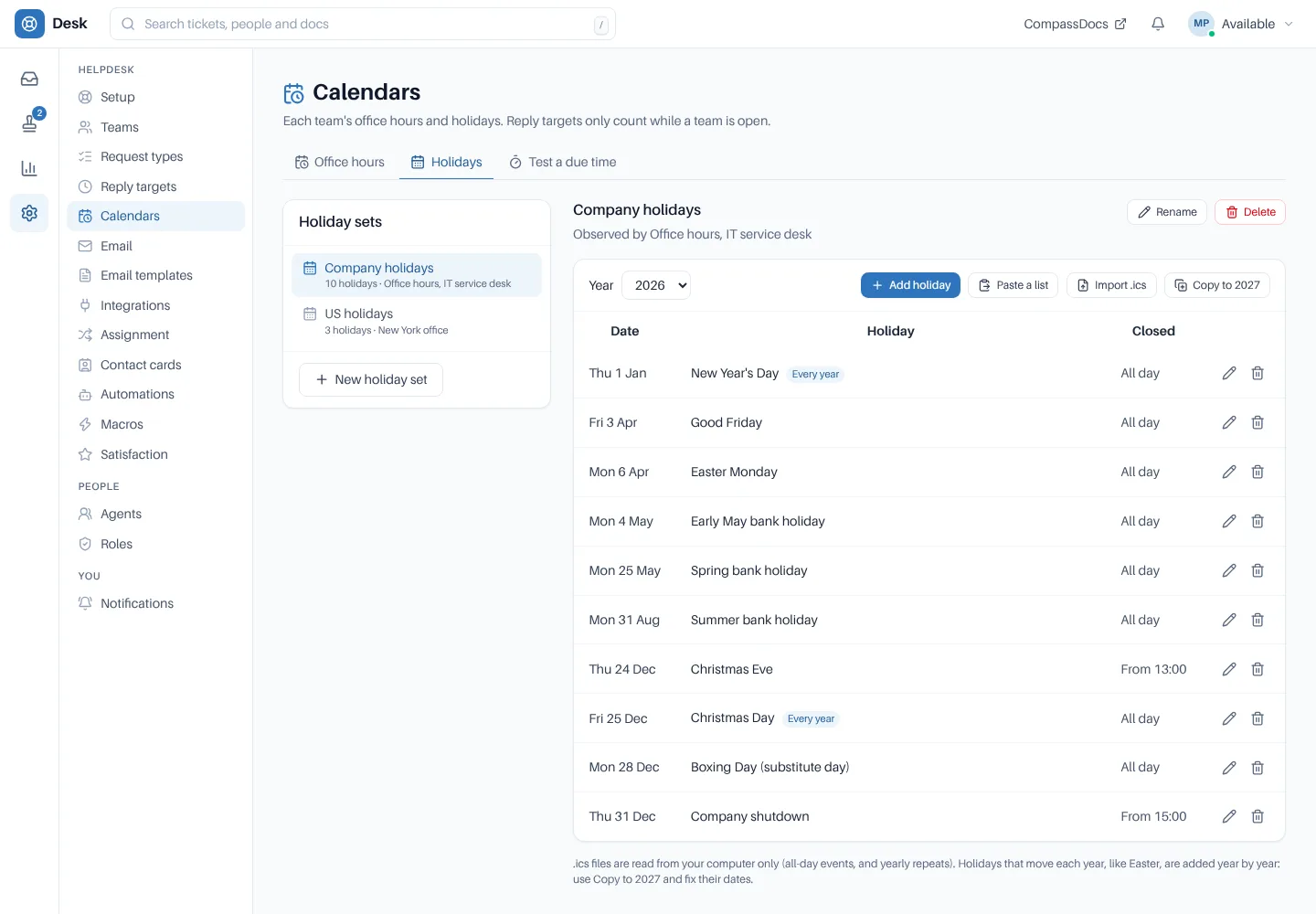
Holiday sets: whole or part days, once or every year, pasted or imported from .ics.
An SLA that ignores the calendar is just a stopwatch.
× The clock runs over the weekend and through the Christmas shutdown.
× Tickets land on whoever happens to be on holiday.
× French-speaking requesters wait for the one agent who speaks French.
→ Targets that follow each team’s hours, and assignment that knows who’s there.
Time and ownership, done properly.
Office hours per team
Split shifts, 24/7, shifts past midnight, any time zone. Holiday sets with whole or part days, once or every year; paste a list or import an .ics file.
Reply and resolution targets
Per priority, counted in business time, paused while a ticket is waiting on the requester or on hold, with nearing and breach warnings. A team can override any priority.
Clocks that explain themselves
Queues say when a clock is stopped: “Paused for Christmas Day, resumes Mon 09:00”. Test a due time shows when a target falls due and which closures it skipped.
Assignment per team
Manual, Round robin with a weight per person, or Load balanced by open tickets. Cap open tickets, keep the same person as last time, and move tickets on when the owner is away.
Skills and languages
Tag agents with what they know and the languages they speak. Every ticket gets a language from the directory or its first message, and rules assign to someone who matches.
On call
On-call rotas per team, with one-off cover, a four-week view and who is on call now. Handovers keep their local time across clock changes.
Every ticket finds its owner.
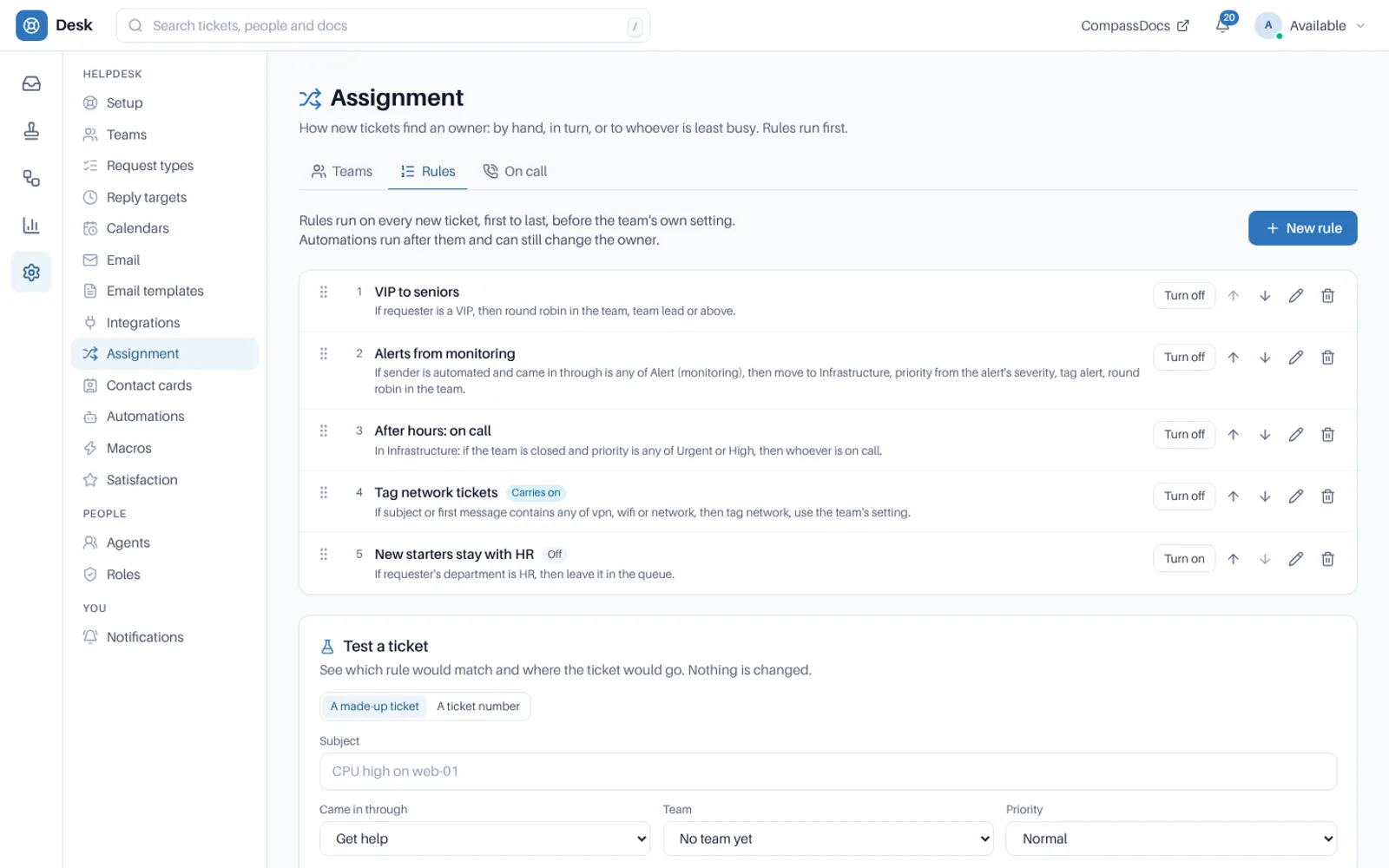
Rules run first on every new ticket. Match on channel, request type, category, priority, words, tags, form answers, language, the requester’s department, office or VIP status, and office hours; then move, tag, set priority and assign.
- Assign to a person, the team’s turn, the least busy, a team lead, whoever is on call, or someone with the right skills or language
- Test a ticket explains which rule would match and where it would go
- Every ticket keeps its assignment history
Set the clock, then the rules.
Editing a calendar, holiday or target re-times the open tickets it affects.
Set office hours
Per team, in its own time zone.
Add holidays
Paste a list or import .ics, and copy a year’s holidays to the next.
Set targets
Reply and resolution per priority, with team overrides.
Choose assignment
By hand, in turn or by load, with rules, skills, languages and on-call on top.
Related: Workflows & approvals · Reports & export · Automations & macros · The desk · Docs
More in the helpdesk
A helpdesk without another tool to buy
Self-host CompassDocs with one Docker command. The helpdesk is part of CompassDocs Enterprise, with 3 agents included (extra agents $125/year each), alongside SSO, SCIM, directory sync, read confirmations and training.
Buying for a team? Get a formal quote to print for approval, or order by invoice with your PO number.